Solar plus battery on a roof that already has panels.
Enaptiq has already studied every business in your base: its meter, its roof, its plant and its accounts. For a company that already has panels, it confirms the plant in the readings, sizes the extra panels and the battery, and hands the salesperson a proposal they can adjust and send.
Step by step, in the platform.
-
01
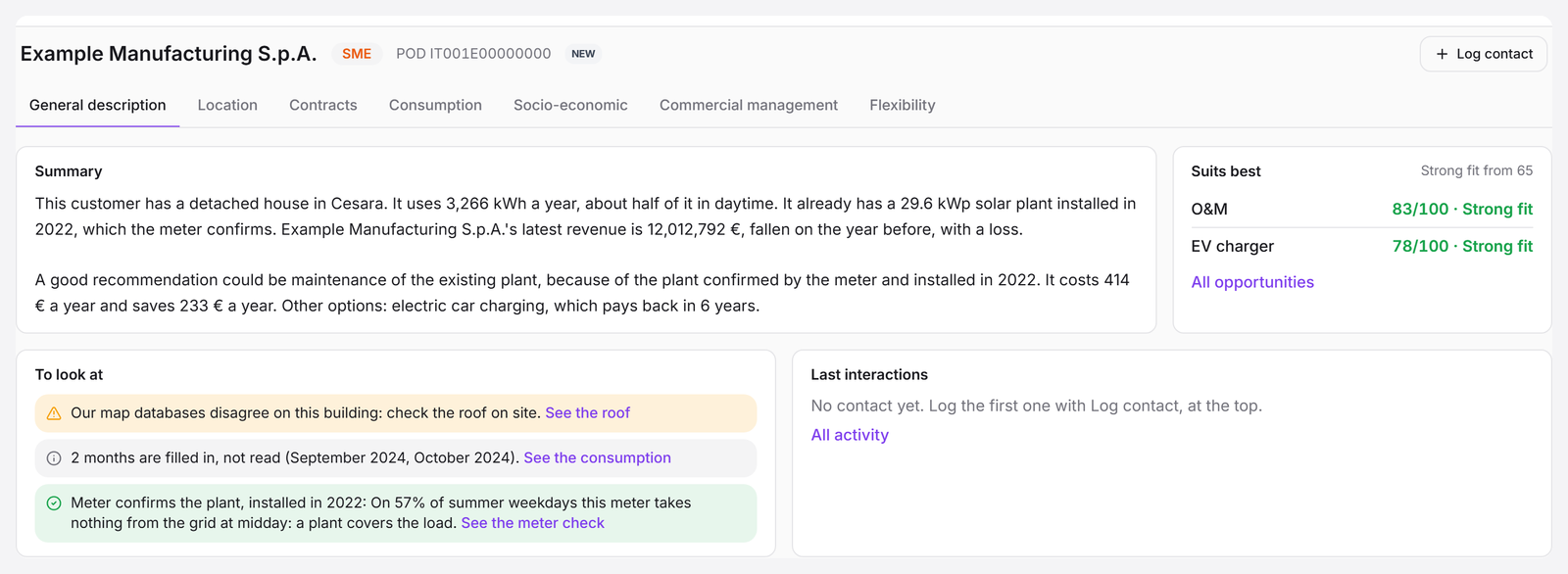
A full pre-analysis, before the first call
Every customer opens with a written summary, a score for each product with the best fit first, and what to check before calling: here, a plant on the roof that the meter confirms.
-
02
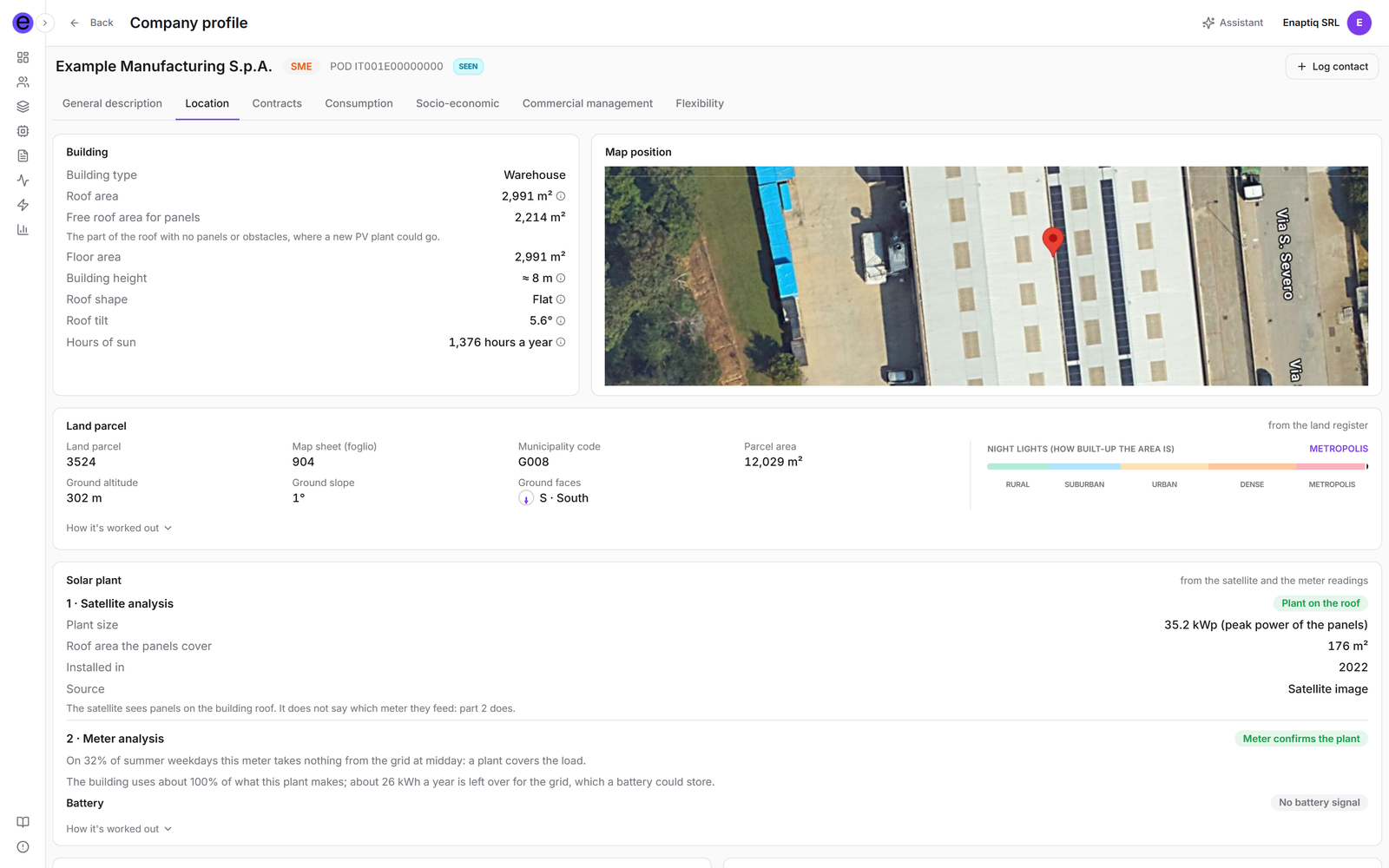
The roof and the building
From above, Enaptiq reads the building, the roof and the plant already on it, and checks that plant against the meter readings.
-
03
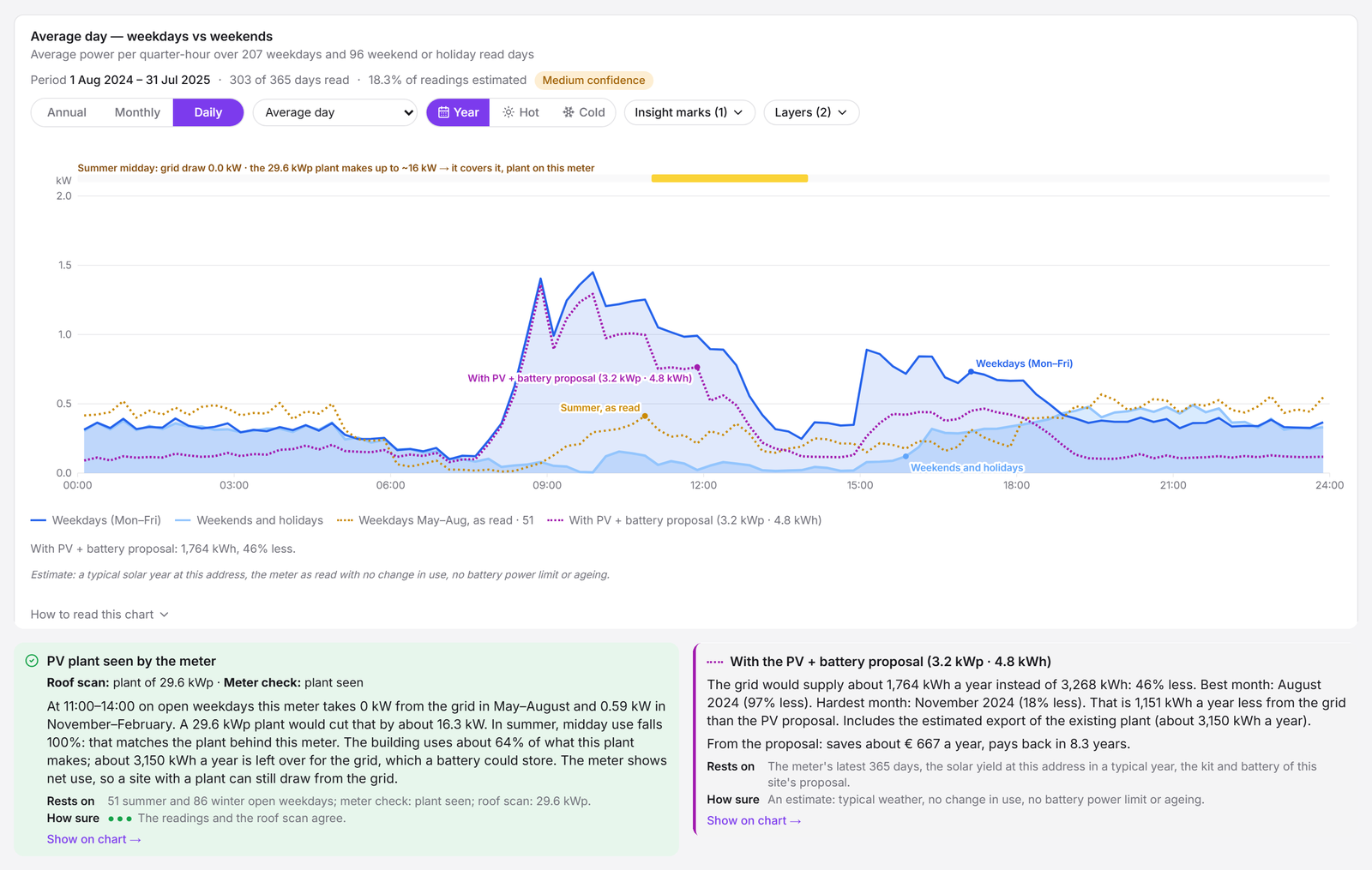
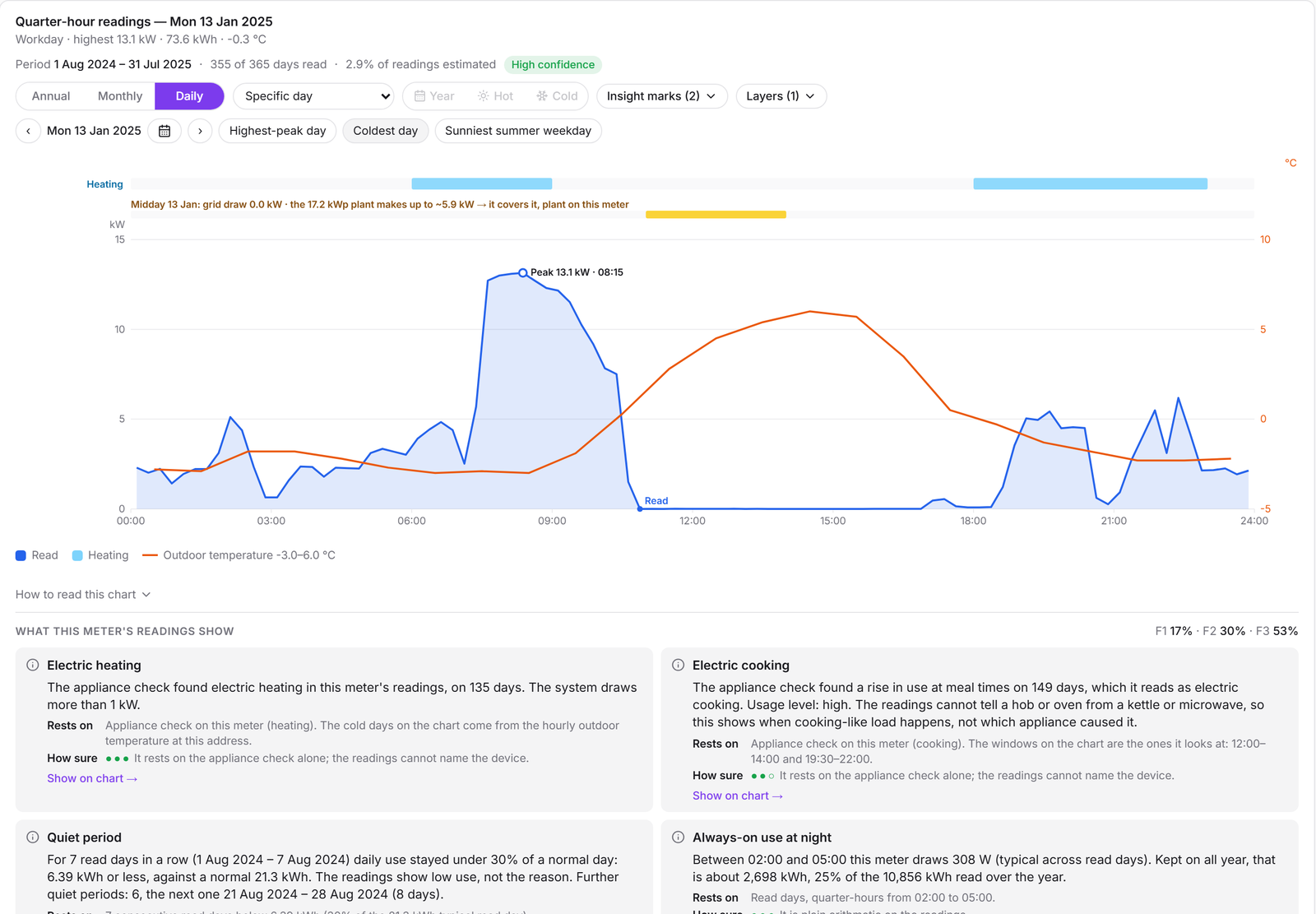
The consumption curve, with the proposal on top
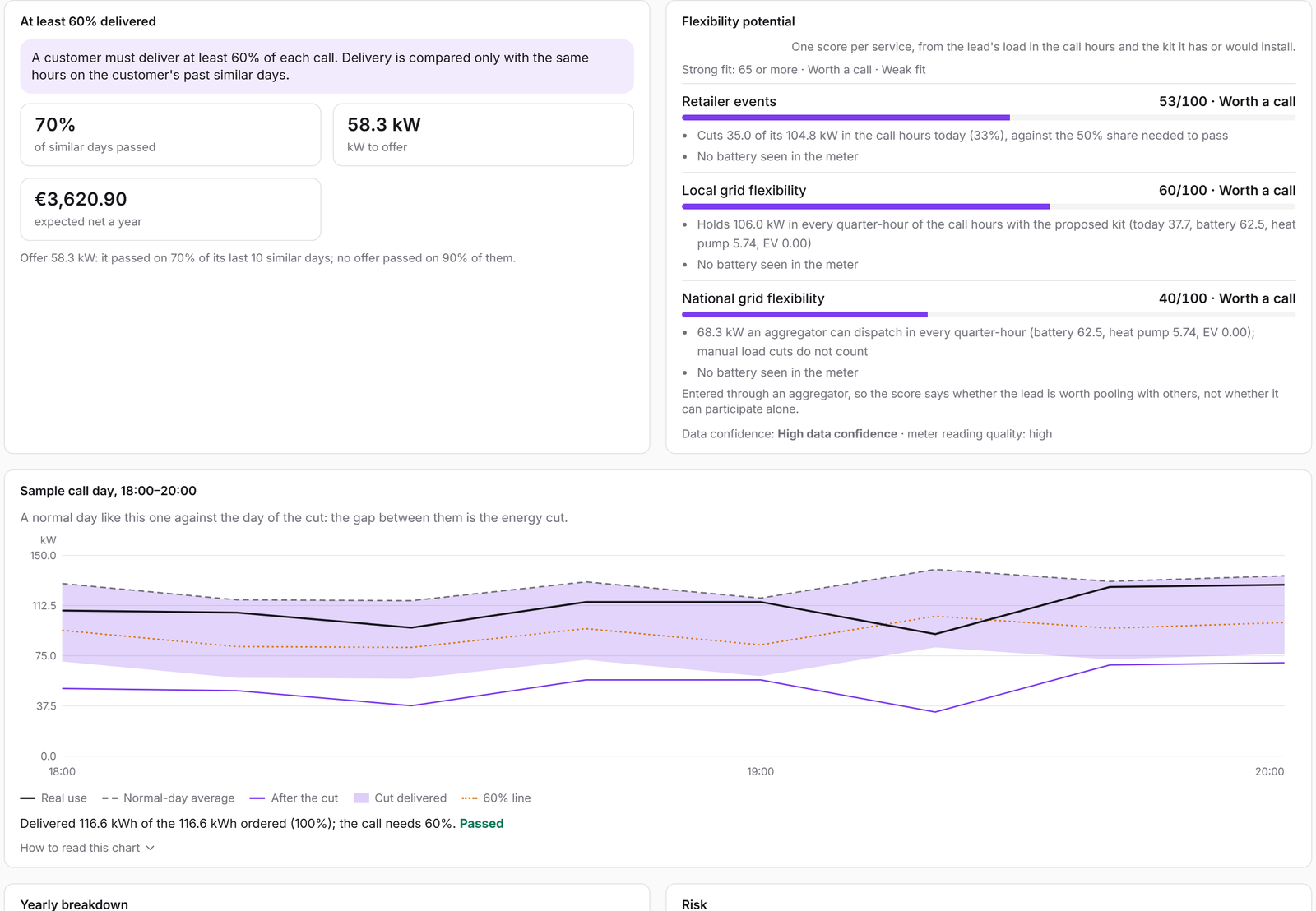
The average weekday and weekend, read every 15 minutes. Enaptiq finds the plant in the readings, sees what is left over for a battery, and draws the curve with the proposed panels and battery.
-
04
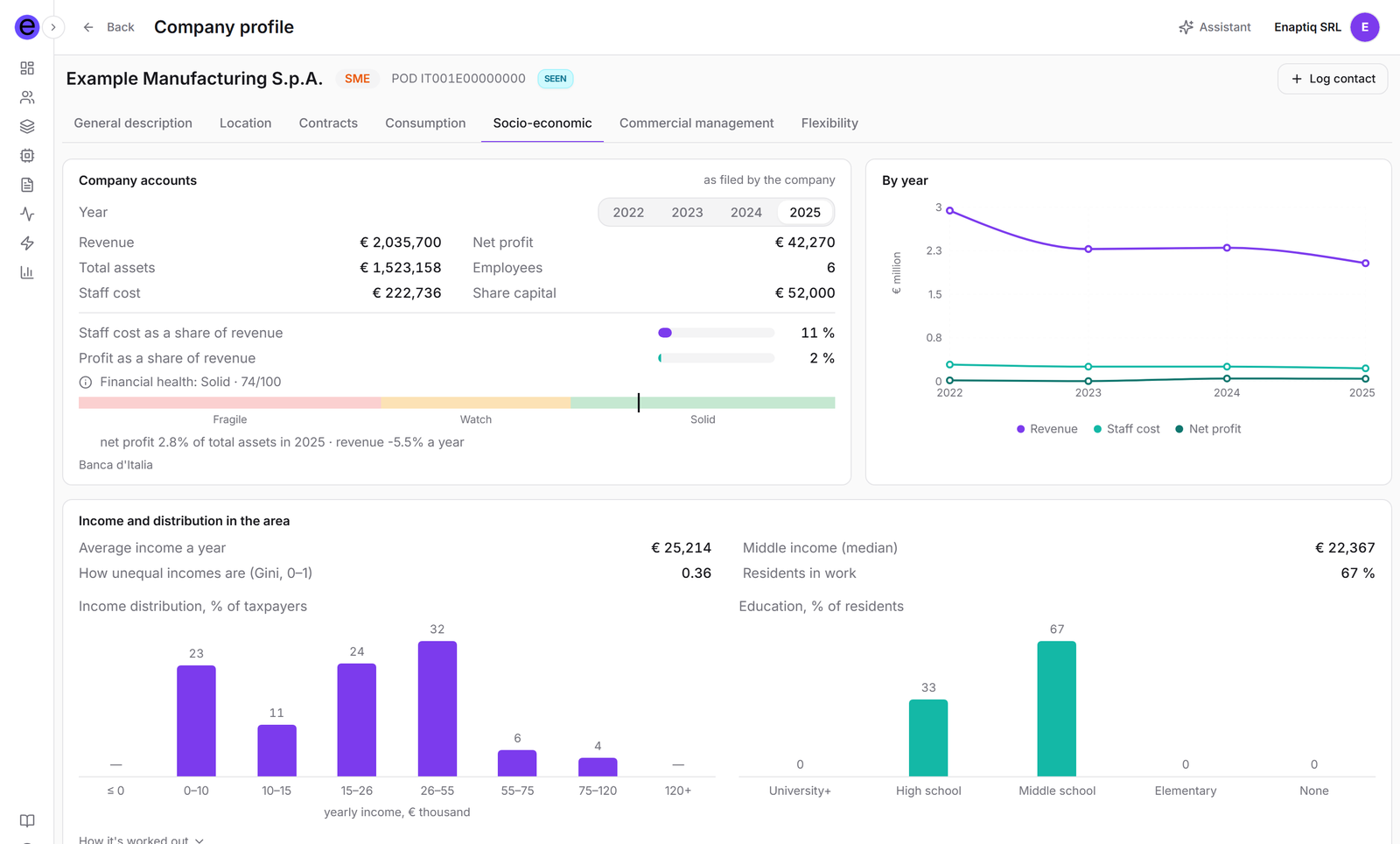
The company behind the meter
Multi-year accounts and financial health, next to the area it works in, so the salesperson knows who they are talking to.
-
05
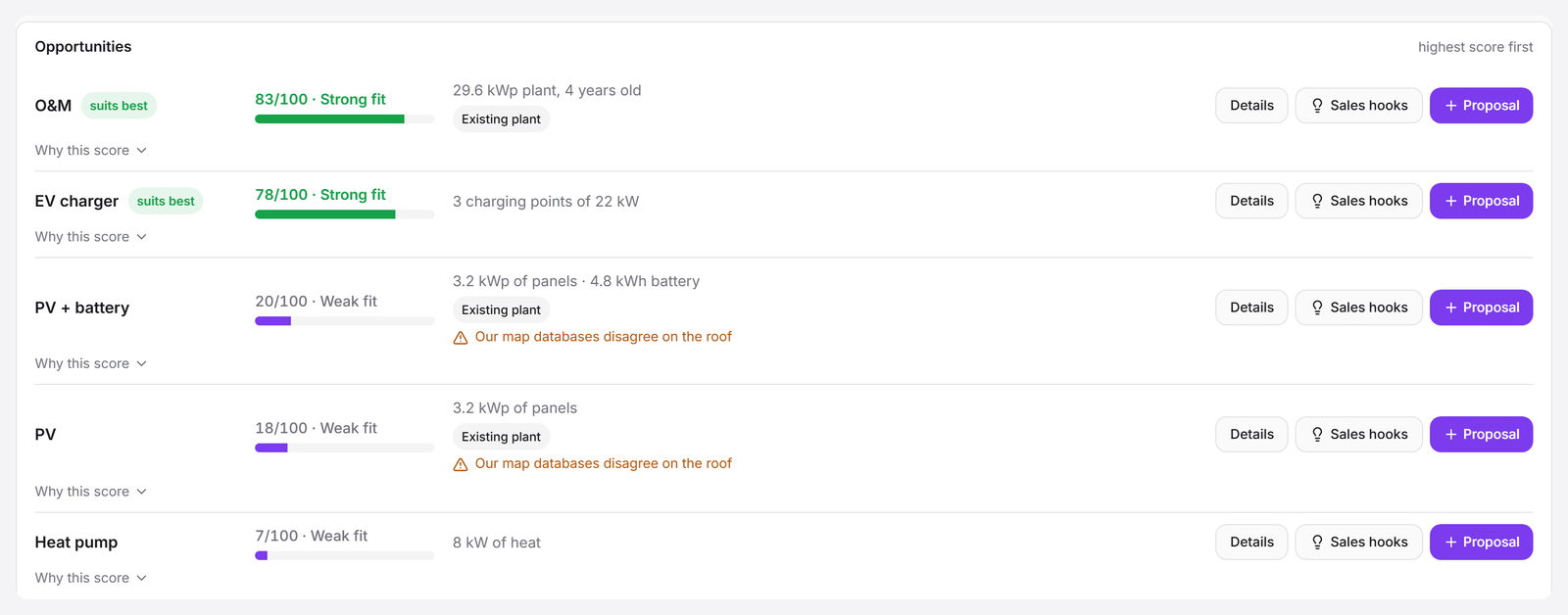
Every product, scored, with its kit
Panels and battery, maintenance of the existing plant, EV charging, heat pumps: each scored, highest first, with the kit Enaptiq suggests and the reasons behind the score.
-
06
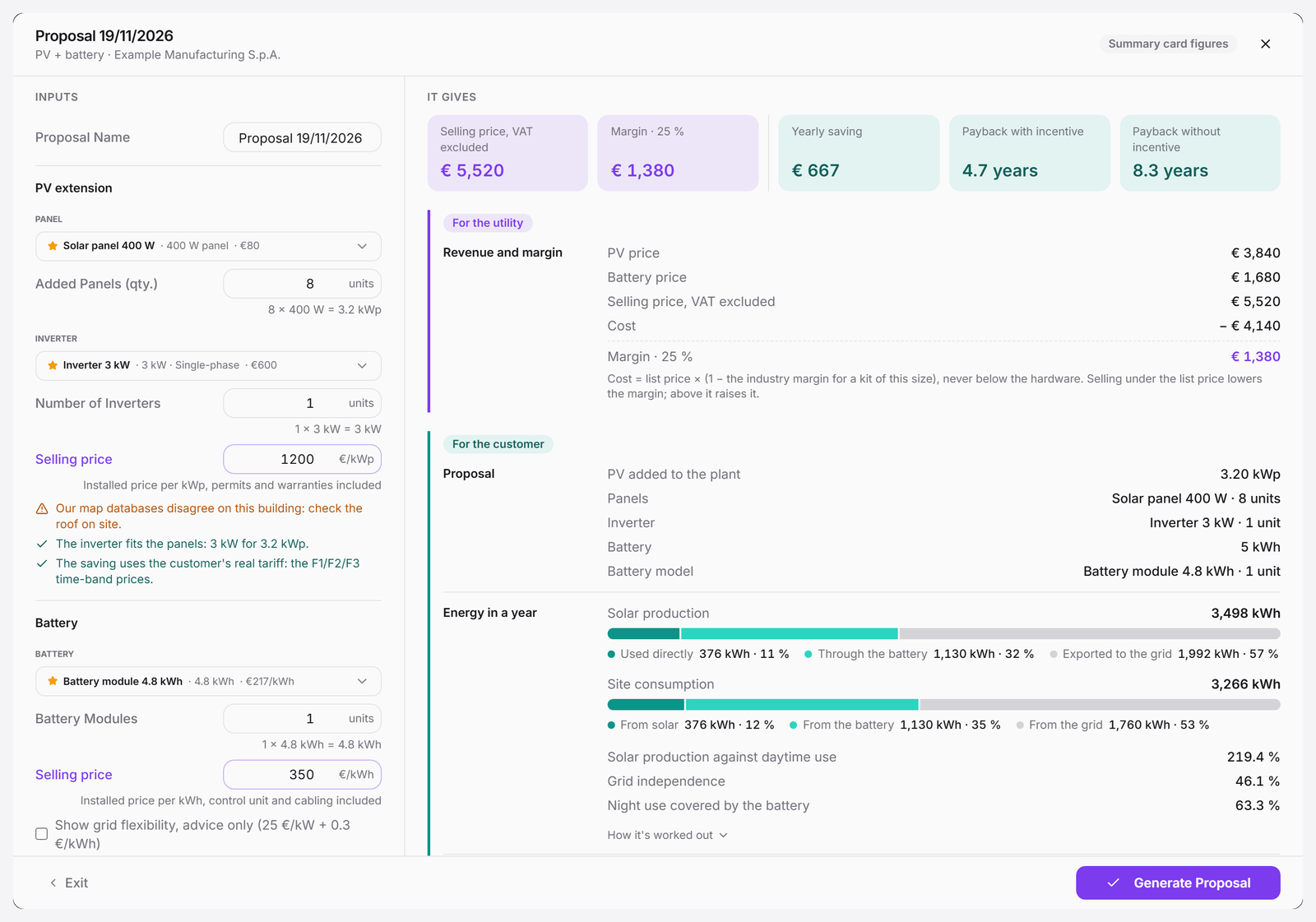
The proposal builder
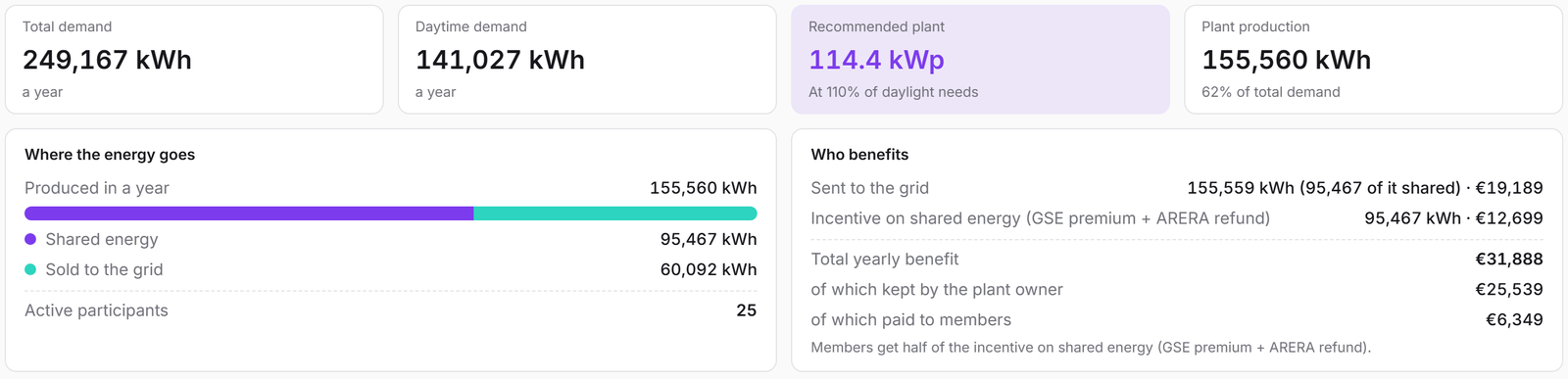
The suggested kit opens ready. Price, margin, yearly saving, payback and the energy balance of the year are worked out for the utility and for the customer.
-
07
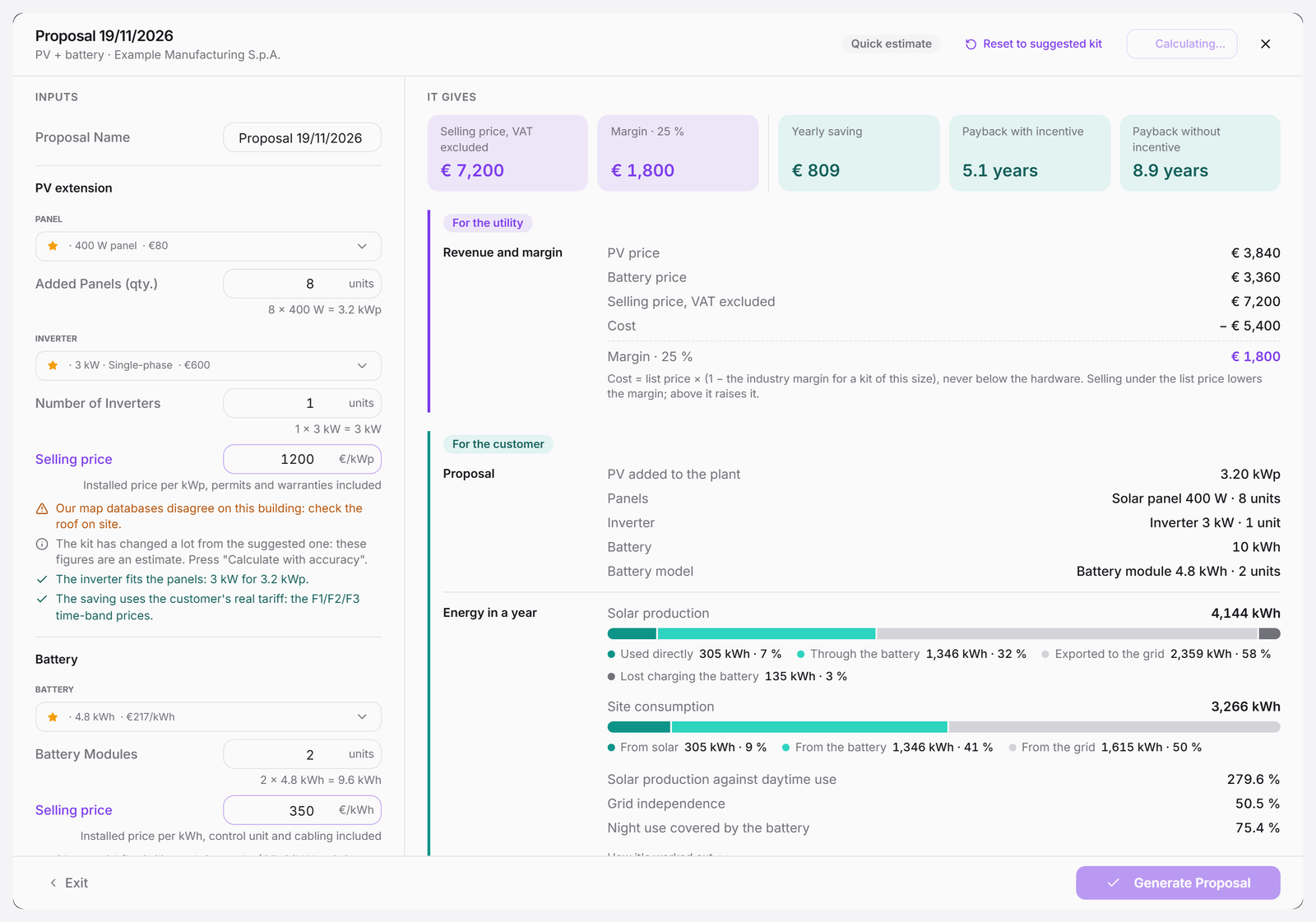
Change the kit, see the proposal move
Add a battery module, change panels or prices, and every figure updates; one click reruns the whole year with accuracy. Then the proposal goes out as PDF or Word.


Watch the full flow.
Follow an industrial business account from roof and meter verification of an existing solar plant through seasonal consumption, company financials and ranked opportunities. The walkthrough finishes by logging the call, sizing the solar extension and battery in the proposal builder, and generating export-ready proposals.
What Enaptiq reads.
- Smart meters (15 minutes)
- Solar irradiation
- Weather
- Energy tariffs and time bands
- Satellite and aerial imagery
- Existing solar plants
- Land registry
- Company registry
- Company financials
- Demographics and income
- Grid infrastructure
Read by our own models, trained by us on public databases.
Your call, every time.
- Panel model and number of panels
- Inverter model and number
- Battery model and number of modules
- Selling price per kWp and per kWh, with the margin shown live
- Notes for the client
- Reset to the suggested kit at any time
A proposal that extends the plant the customer already has, with a battery sized on their own readings, priced with your margin and ready to send as PDF or Word.
See it on your own customers.
Tell us what you want to sell and we'll show you this flow on your customer base.